Choose the symptom you see
Open an answer for the checks and a way back to your project. Keep your app version, platform and original error nearby.
Builder not found or not signed in
Check the program path
For Claude Code, open a terminal and run claude --version. A shell message such as “command not found” means that terminal cannot discover the program. Check installation and program discovery first.
- If Claude Code is not installed, follow its official setup instructions.
- Open a new terminal after installation and repeat the version command.
- Restart Craft Anything and reselect the intended builder.
- If the terminal finds the program but the app does not, record how each was launched. The official integration looks on PATH and in
~/.local/bin.
Check the builder's sign-in state
Run claude auth status. If it reports that sign-in is needed, run claude auth login and finish the provider's flow. Repeat the status check before another build.
The official notes describe a separate Claude Code configuration folder inside Flatpak. A host terminal's signed-in state may not be the state used there. Use the command shown by your app and the version-specific upstream notes rather than copying host credentials into the sandbox.
Ready to continue: the intended program is discoverable and its own status check confirms sign-in. Return to the setup checklist.
The build cannot start its tool server
The official integration checks whether craft-anything-cli starts before a build. It also documents a case where Claude Code reports an unavailable core_action_approve tool and no available MCP tools.
- Keep the complete startup error, including any executable path.
- Confirm which desktop or CLI package is running. Check whether the expected CLI is included and available in that installation.
- Read the matching release and integration notes before changing client configuration.
- If the startup check still fails, report the package, platform and error to the official project.
A message mentioning stdio is not enough to conclude that a file with that name should be installed. The official notes explain that this wording can describe a command that failed to start.
No project files were generated
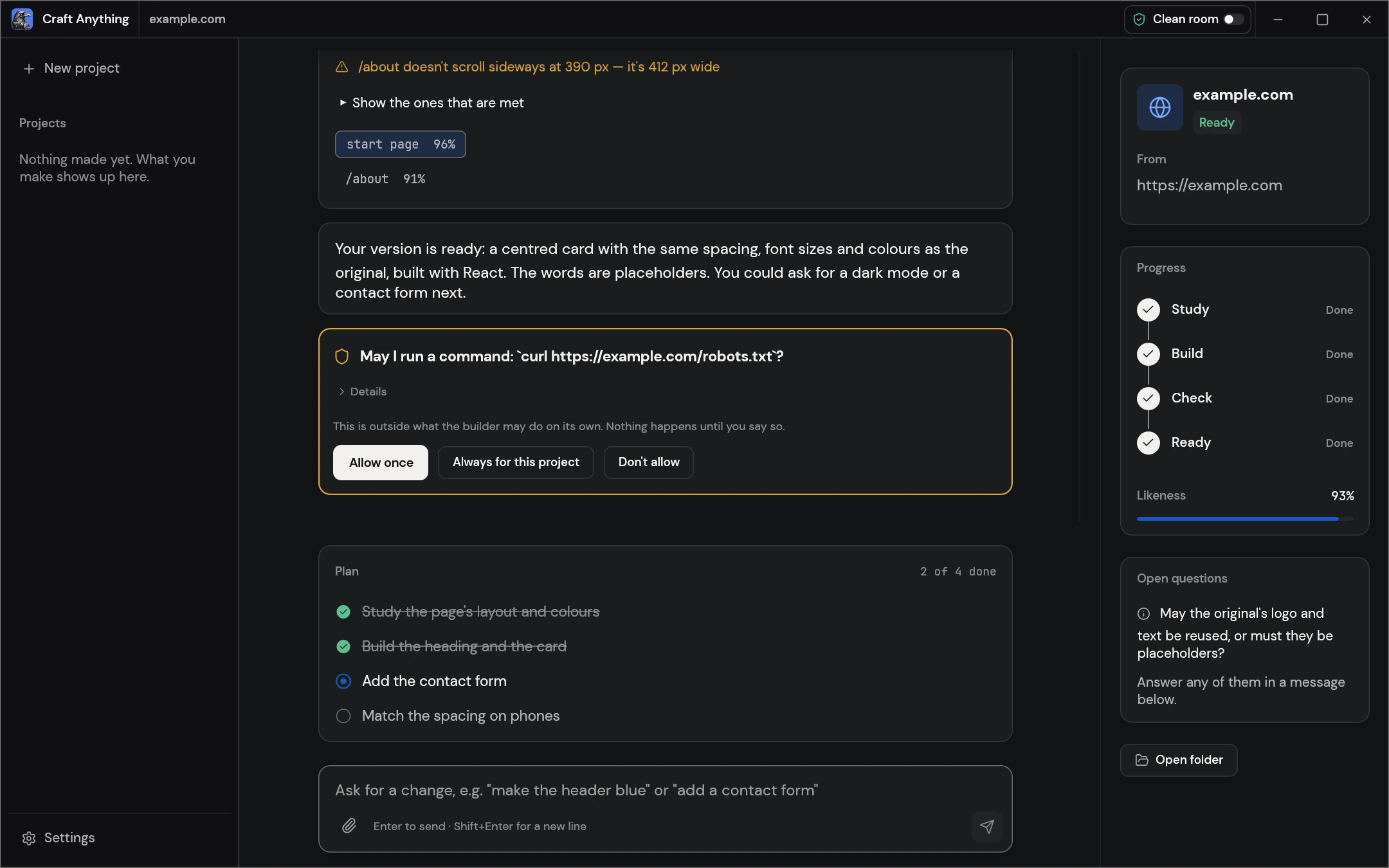
First identify whether the attempt is still active, waiting for a question, or stopped with an error. An existing project entry does not by itself mean a website has been built.
- Read the latest activity, not only the progress label.
- Look for a question or permission request that needs your response.
- Open the intended project folder and check whether output files exist in the generated app location.
- If the attempt stopped, keep the first relevant error and its stage.
- Retry a small, bounded task after addressing that error.
Ready to continue: you have actual project files and can follow their run instructions. If there are still no files and the error is unclear, use the problem report checklist.
A local analysis model cannot connect or respond
For questions and analysis, confirm the provider and model in Settings → AI. If you use Ollama or another local OpenAI-compatible service, check the connection first.
- Start the model service and confirm the exact model identifier.
- Check the endpoint address and port against that service’s compatible API settings.
- Confirm the app can reach the service from its own environment.
- Read the latest activity for connection errors, timeouts or unsupported actions.
- Try a small analysis question after correcting the connection.
If the problem happens when generating project files, check the coding agent’s installation and sign-in. The project’s official AI notes document coding agents for builds and model services for questions and analysis.
The reference is blank or shows 403
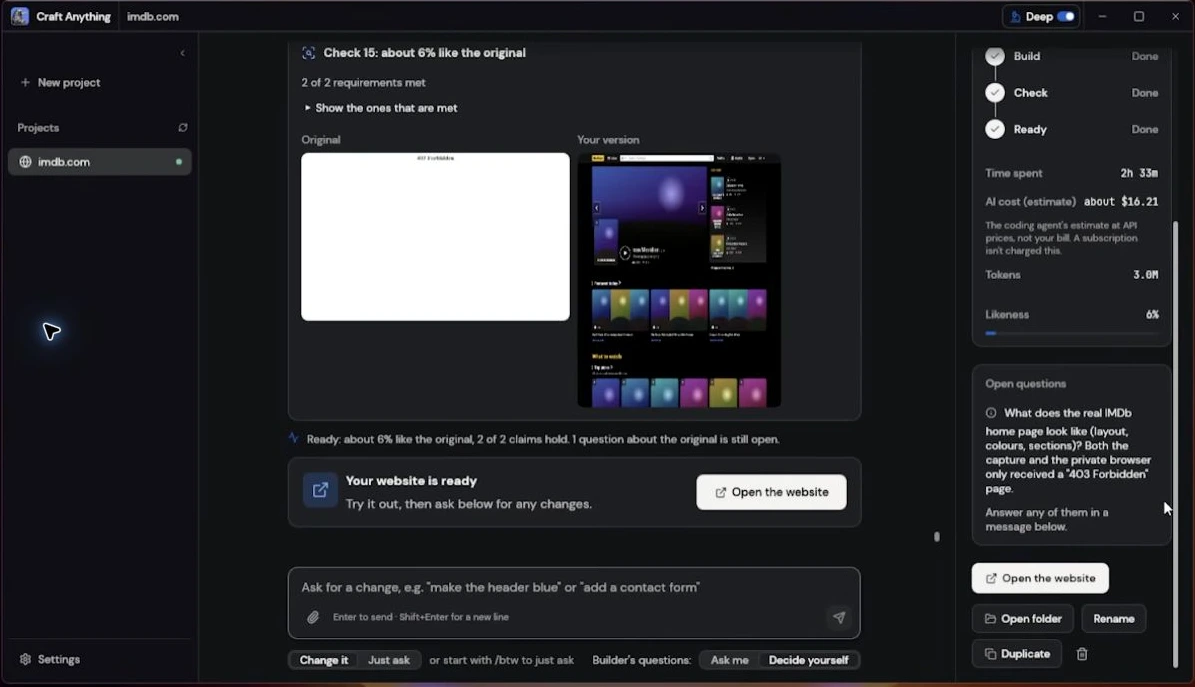
Open the reference image used in the comparison. If it shows “403 Forbidden,” a sign-in screen or an error page, the score is comparing against that visible state.
- Confirm the target URL is correct and opens as the intended public page.
- Check from the environment that performs the study. Access in your everyday browser alone does not establish access there.
- If the intended page cannot be read, use an accessible reference you are allowed to use.
- Repeat the reference capture or study through your version's available workflow.
- Interpret a new comparison only after both images contain the intended pages.
A blocked reference image beside a generated movie page.
A valid reference image, the matching generated view and separate functional tests.
This is the problem visible around 2:08 in the IMDb case video. Recheck the current reference before retrying the comparison.
The page looks similar but a required feature fails
Write down the action and the expected behavior. “Search does not filter the six films” gives the builder a clearer task than “make it better.”
| Observed problem | Specific request | Recheck |
|---|---|---|
| Search field has no effect | Filter visible titles as the query changes. | Matching title, mixed case and empty result. |
| Genre filter ignores the query | Apply search and genre together. | A combination with a match and one with none. |
| Mobile controls overflow | Stack or resize controls at a narrow width. | 390px viewport, focus and horizontal scrolling. |
Ask for one focused change, then repeat the affected checks and the features that depend on them. Use the first project's checklist as a concrete example.
Time, tokens or estimated costs look unexpected
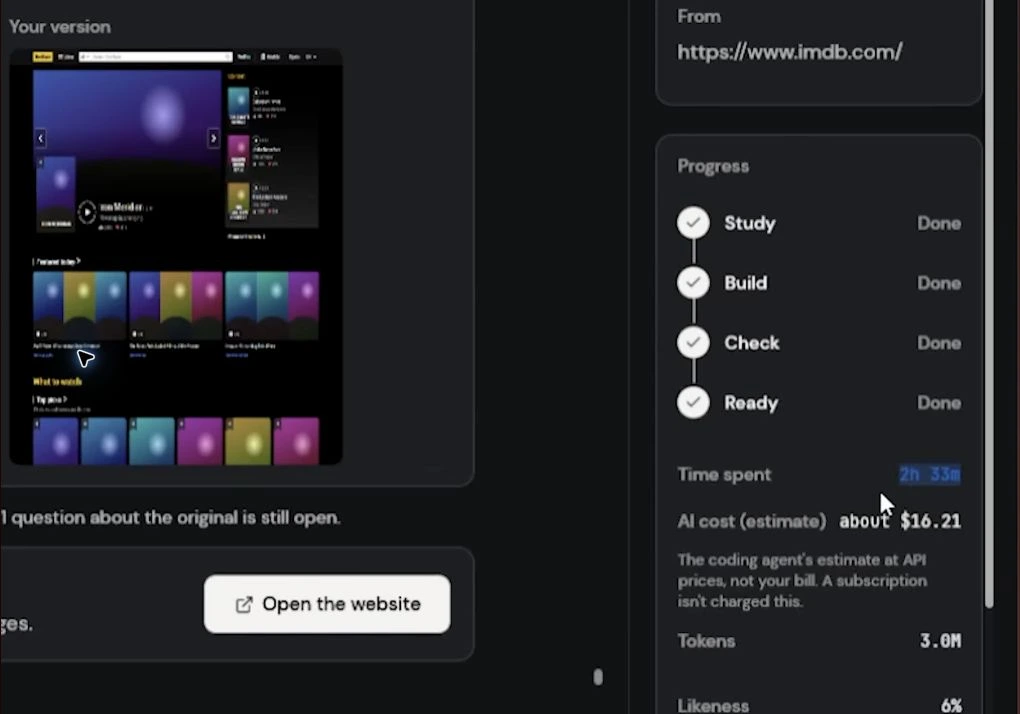
Check what each number measures before comparing attempts. A project report may include unsuccessful work, retries or more than one backend.
- Elapsed time
- Identify start/end points and whether waiting or failed attempts are included.
- Tokens
- Check the reported unit and scope. A token count is not a time measurement.
- Cost estimate
- Read it as the interface's estimate. Verify actual charges and usage in your provider account.
The IMDb video shows an API-price estimate of $16.21 after a mixed attempt. It does not show an actual bill or establish a typical project price.
Report a reproducible problem
For a software defect, use the official issue tracker. Search for a matching report before opening a new one.
- Operating system and architecture.
- Craft Anything version and package format.
- Builder, backend and model where relevant.
- The smallest request that reproduces the symptom.
- The failed stage, original error and expected result.
- A relevant screenshot or short log excerpt with secrets and private project content removed.
For an error in this website's instructions, contact Arthur Winters with the guide URL and affected step. After resolving setup, return to the first build request.